
Use case
รูปหน้า About ที่ได้ใจในแวบเดียว
หน้า About คือที่ที่คนแปลกหน้าตัดสินใจว่าจะเชื่อใจคุณไหม เซลฟี่จากมือถือที่ภาพแตกลบล้างคอนเทนต์ดี ๆ ที่สั่งสมมาทั้งปีได้ในสองวินาที
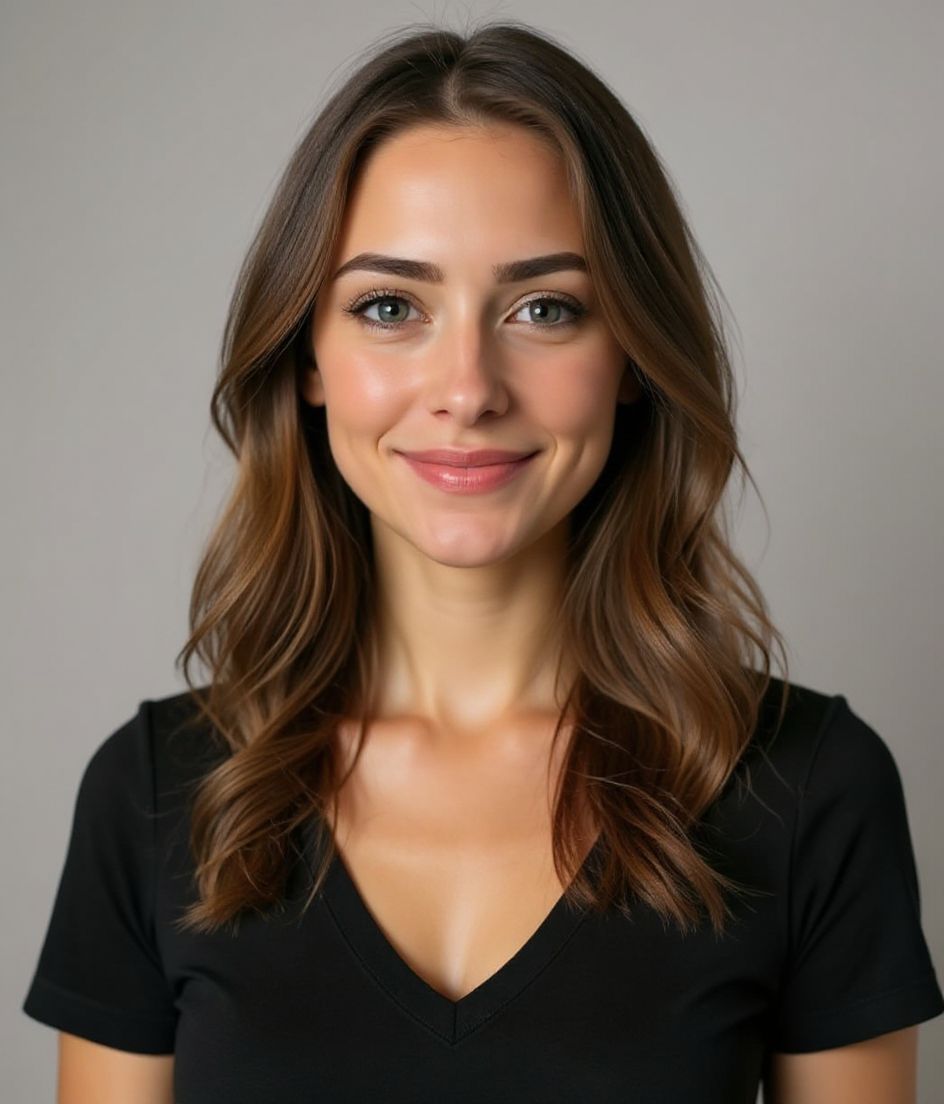
HeadshotCam ให้รูปหน้า About ที่ดูเป็นมนุษย์ ไม่ใช่รูปคอร์ปอเรตแข็งทื่อ ไม่ใช่รูปอินฟลูเอนเซอร์ที่พยายามเกินไป เลือกสไตล์อบอุ่นเข้าถึงง่ายแล้วอัปโหลดเซลฟี่หนึ่งรูป 5 ถึง 15 วินาทีต่อมา คุณก็ได้รูปที่เข้ากับโทนของเว็บไซต์ส่วนตัว
เหล่าฟรีแลนซ์ ที่ปรึกษา และนักสร้างอิสระใช้มันเพื่อทำให้ธุรกิจคนเดียวดูน่าเชื่อถือเทียบเท่าเอเจนซี่ใหญ่

5-15s
per headshot
Generation time. Try a few looks before you settle on one.
3
styles picked
From Foundations, Foundations, Foundations — the ones that work best here.
$5.99
starts at
One-time credits if you only need a couple. Yearly plan if you want unlimited.
What you get
อบอุ่น ไม่แข็งทื่อ
สไตล์อย่าง Warm & Welcoming และ Natural & Authentic ให้ความรู้สึกเข้าถึงง่าย ไม่ใช่เหมือนไปรื้อตู้เสื้อผ้าของพ่อมา
จับคู่กับสีแบรนด์ของคุณ
แก้ไขด้วยการพิมพ์ "เปลี่ยนพื้นหลังเป็นสีเขียวเสจอ่อน" หรือ "สีเบจอุ่น" เพื่อให้รูปกลมกลืนกับเว็บไซต์ของคุณ
ใหญ่พอสำหรับส่วนภาพหลัก
ผลลัพธ์ความละเอียดสูงใช้ได้ทั้งภาพหลักเต็มหน้า About และ avatar เล็กในหน้าเดียวกัน
หลายช็อต อัปโหลดครั้งเดียว
ลอง 5 สไตล์ก่อนตัดสินใจ เลือกอันที่รู้สึกเป็นตัวคุณที่สุดแล้วใช้เลย
สไตล์แนะนำ
The styles that work best for รูปหน้า about.

เคล็ดลับ
- 1 จับคู่รูปหน้า About ให้เข้ากับอารมณ์ของเว็บไซต์ เว็บสนุก ๆ ใช้รอยยิ้มอ่อนโยน เว็บ B2B จริงจัง ใช้สีหน้าสงบกว่า
- 2 เพิ่มการสบตาเล็กน้อย หน้า About แปลงผลลัพธ์ได้ดีกว่าเมื่อตัวแบบมองมาที่ผู้อ่าน
- 3 เลี่ยงพื้นหลังขาวล้วน ยกเว้นเว็บไซต์ของคุณก็ขาวล้วนด้วย โทนนุ่ม ๆ กลมกลืนกว่า
- 4 ใช้การครอปแบบแคนดิด เยื้องจากกึ่งกลางเล็กน้อย การจัดเฟรมเป๊ะเกินไปดูเหมือนภาพสต็อก
- 5 จับคู่กับประวัติสั้น ๆ ที่เขียนแบบมุมมองบุคคลที่หนึ่ง รูปอบอุ่น + งานเขียนกันเองสร้างความเชื่อใจได้เร็ว
คำถามที่พบบ่อย
รูปหน้า About ควรตรงกับ LinkedIn ไหม?
ใบหน้าเดียวกัน แต่อารมณ์ขยับได้ LinkedIn เน้นคอร์ปอเรต ส่วนหน้า About อบอุ่นหรือครีเอทีฟกว่าได้ตามแบรนด์ของคุณ
ใช้พื้นหลังหรือฉากสนุก ๆ ได้ไหม?
ได้ ลองสไตล์จากคอลเลกชัน Creative หรือใช้แก้ไขด้วยการพิมพ์เพื่อเปลี่ยนพื้นหลังให้เข้ากับแบรนด์ ขอแค่ให้ดูชัด ไม่วุ่นวาย
รูปควรมีขนาดใหญ่แค่ไหน?
อย่างน้อย 1200 พิกเซลด้านยาวสำหรับส่วนภาพหลัก เราให้ไฟล์ความละเอียดเต็มเพื่อให้คุณครอปได้โดยไม่เสียรายละเอียด
ถ้าฉันรีแบรนด์ทีหลังล่ะ?
ก็สร้างใหม่ ด้วยแพ็กเข้าใช้งานรายปีไม่จำกัดหรือแพ็กเครดิต คุณรีเฟรชรูปได้ในไม่กี่นาที ไม่ต้องถ่ายใหม่
ที่เกี่ยวข้อง
สร้างภาพหัวของคุณ
ไม่ต้องสตูดิโอ ภาพมืออาชีพในไม่กี่วินาทีจากเซลฟี่รูปเดียว แอปดาวน์โหลดฟรีบน iOS และ Android
ดาวน์โหลดฟรีบน iOS และ Android
- ดาวน์โหลดฟรี
- เซลฟี่ 1 รูป
- 5–15 วินาที
- ไม่มีลายน้ำ
สแกนเพื่อดาวน์โหลด
หันกล้องมือถือไปที่โค้ด

