
Use case
Foto Zoom yang tidak terlihat seperti tangkapan layar webcam 2020
Separuh meeting-mu berakhir dengan kamera seseorang mati dan lingkaran profil bawaan di layar. Kalau punyamu foto ponsel buram dari 2019, itulah kesan yang kamu tinggalkan sepanjang jam.
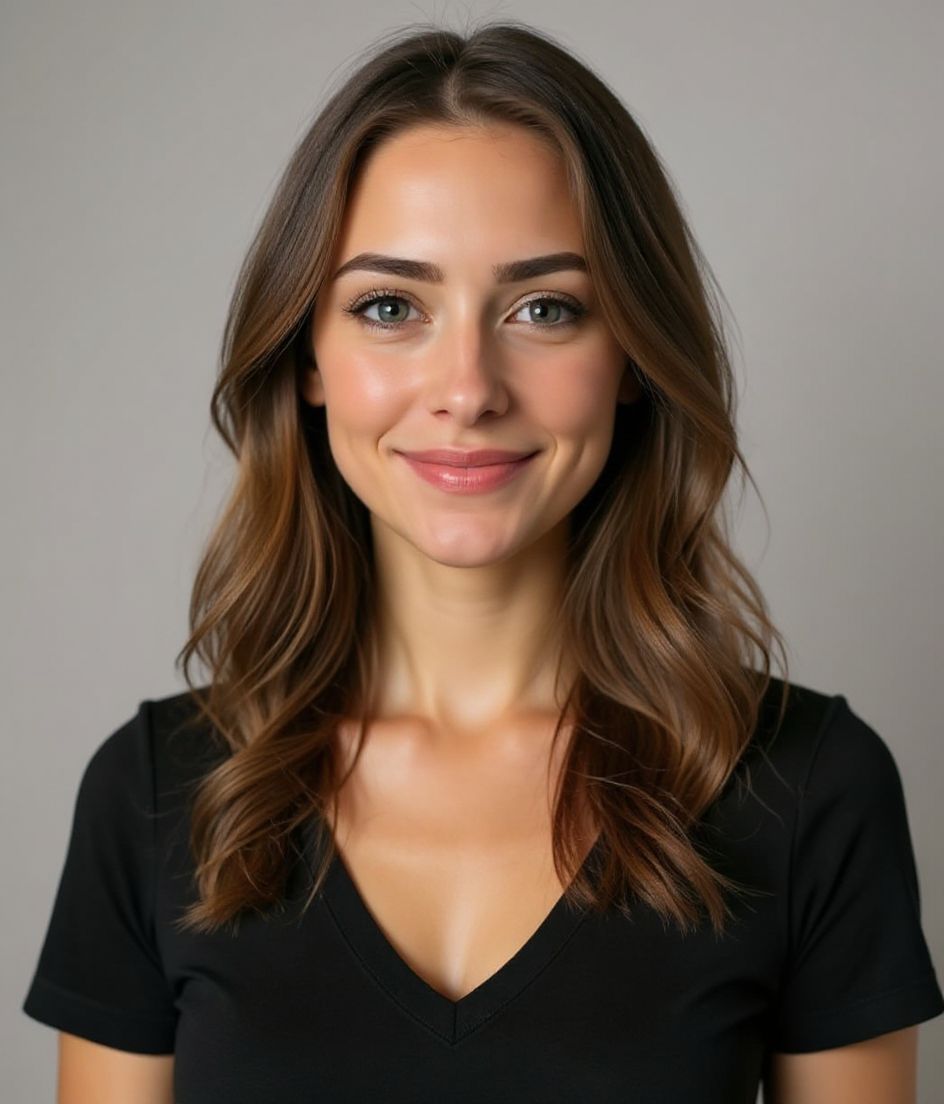
HeadshotCam memberimu foto profil Zoom yang tetap bagus saat kameramu mati — tajam, pencahayaan bagus, dan jelas mirip kamu. Satu selfie masuk, foto profil bersih keluar dalam waktu kurang dari 15 detik.
Cocok untuk Zoom, Google Meet, Teams, huddle Slack — di mana pun wajahmu muncul sebagai lingkaran saat video mati.
5-15s
per headshot
Generation time. Try a few looks before you settle on one.
3
styles picked
From Foundations, Foundations, Foundations — the ones that work best here.
$5.99
starts at
One-time credits if you only need a couple. Yearly plan if you want unlimited.
What you get
Tetap bagus sebagai lingkaran kecil
Zoom menampilkan fotomu di ukuran sekitar 200x200 — kami pakai latar bersih agar wajah tetap terbaca di ukuran itu.
Cocok di setiap aplikasi meeting
File yang sama bisa diunggah ke Zoom, Google Meet, Microsoft Teams, Slack, Discord — di mana pun kamu punya profil.
Ramah, bukan kaku
Foto meeting lebih baik saat terasa bersahabat. Gaya Warm & Welcoming dan Natural pas untuk ini.
Tanpa watermark, tanpa ribet
Unduh file resolusi tinggi dan unggah langsung. Tanpa logo di sudut, tanpa keanehan lisensi.
Gaya yang direkomendasikan
The styles that work best for foto profil zoom.


Tips
- 1 Pilih ekspresi lembut dan ramah — Zoom menampilkan fotomu saat kamu mematikan kamera, dan wajah kaku terasa tidak sopan.
- 2 Pakai latar polos. Latar yang ramai jadi kabur di ukuran 200x200.
- 3 Simpan potongan persegi. Zoom dan Meet memotongnya jadi lingkaran, jadi sudut tetap terpangkas.
- 4 Cocokkan foto dengan Slack dan tanda tangan email — identitas yang konsisten antar alat membangun pengenalan.
- 5 Perbarui setahun sekali. Foto Zoom berumur empat tahun dengan potongan rambut berbeda terasa mengganggu.
FAQ
Seberapa besar foto profil Zoom seharusnya?
Minimal 400x400 piksel. Apa pun yang lebih kecil terlihat lembek saat Zoom membesarkannya.
Apakah foto akan muncul selama meeting?
Hanya saat kameramu mati — yang jujur saja, paling sering terjadi. Itulah sebabnya foto ini penting.
Bisakah aku pakai foto yang sama untuk Slack?
Bisa, dan sebaiknya begitu. Foto yang sama di Zoom, Slack, dan tanda tangan email membangun pengenalan dengan cepat.
Bagaimana kalau aku bekerja di tempat yang kasual?
Pilih gaya yang lebih hangat — Warm & Welcoming atau Natural & Authentic. Kamu tidak perlu jas untuk terlihat profesional.
Terkait
Buat headshot Anda
Lewati studio. Headshot pro dalam hitungan detik dari satu selfie. Aplikasi gratis di iOS & Android.
Unduh gratis di iOS & Android
- Unduh gratis
- 1 selfie
- 5–15 detik
- Tanpa watermark
Pindai untuk mengunduh
Arahkan kamera ponsel ke sebuah kode

